Taking over from the AI
The support AI answers conversations until a person takes over. This page covers the human side of that switch — how to pause the AI, take the conversation, resume it, and clear the AI work that is waiting on a decision.
The AI control on a conversation
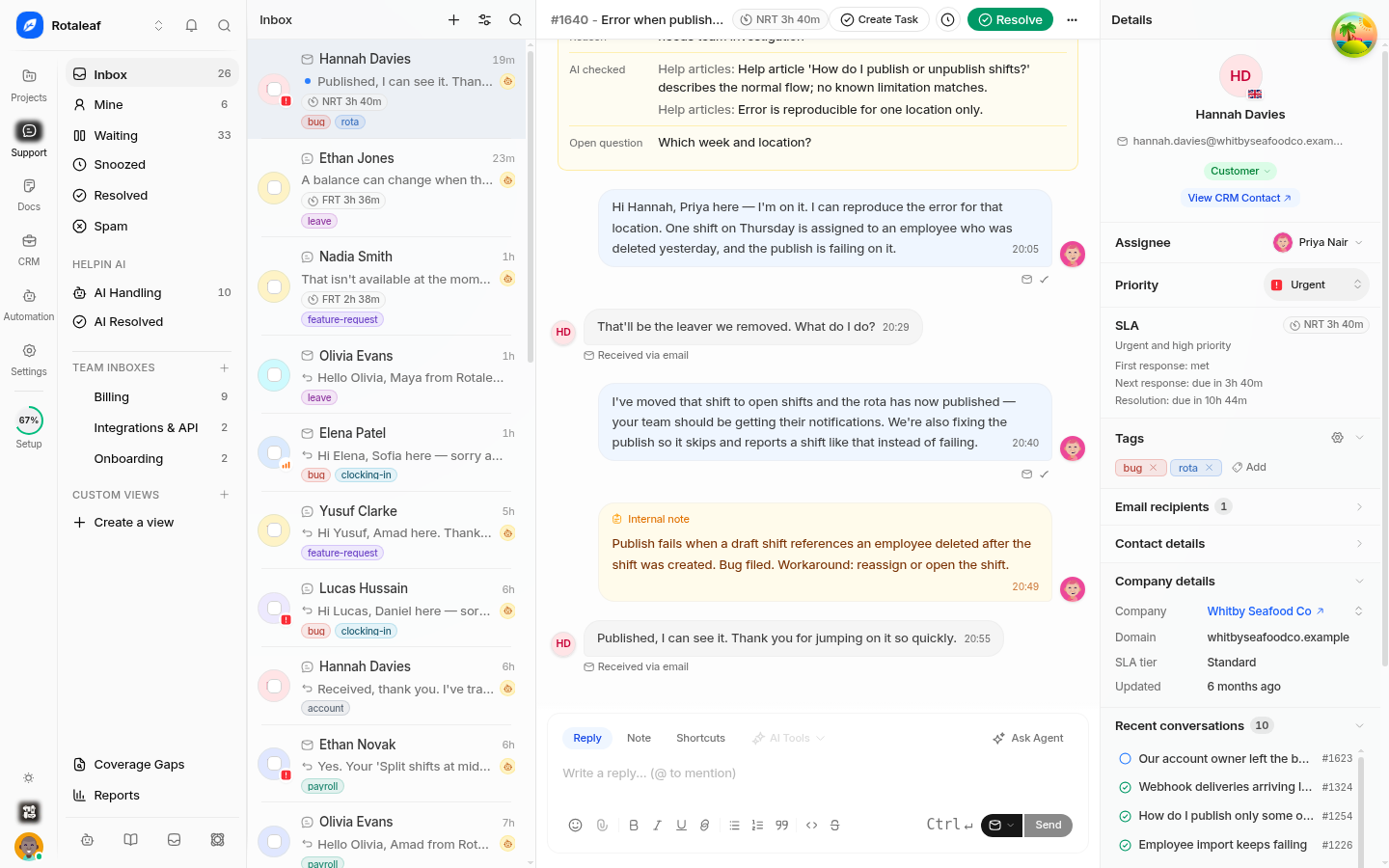
Each conversation has an explicit AI control state rather than an implicit guess about whether someone is already typing. From a conversation the AI is handling you can:
Pause the AI on that conversation, so it stops replying without you claiming the conversation.
Take over, which claims the conversation and stops AI replies in one step.
Resume the AI when you want it to answer again.
Pausing is for when you are thinking; taking over is for when you are answering. Resuming is a deliberate act, not automatic — the AI does not restart answering because you stopped typing.
AI runs and approvals
Every AI attempt is recorded on the conversation as a run. The conversation shows the run's interactions, and when the AI is waiting on a decision — for example a proposed action or an approval prompt — you can resolve the run.
Resolving a pending run unblocks the workflow. Leaving one open leaves the conversation stuck: the AI will not proceed and the customer sees a pause nobody explained. If you are unsure what the run is asking, open its detail before resolving it.
Reading what the AI did before you reply
The AI panel on the conversation summarises what the AI attempted and why it stopped. Read it before you write, so you do not repeat a question the customer already answered or contradict something the AI already promised.
When to intervene
Take over immediately when the customer is frustrated, the issue is sensitive, or money and data are involved.
Pause rather than argue. Correcting a wrong AI answer in the thread teaches the customer to distrust both of you. Pause, fix the answer, reply once.
Resume only after fixing the cause. If the AI was wrong because an article is wrong, fix the article first. Otherwise it will be wrong again on the next customer.
Resolve pending runs as part of your reply, not later. A queue of open runs is a queue of half-finished conversations.
Permissions
Pausing the AI, taking a conversation over, and resolving runs require support edit access. Viewing the AI panel follows normal conversation access.
Related pages
Where the AI's behaviour is configured
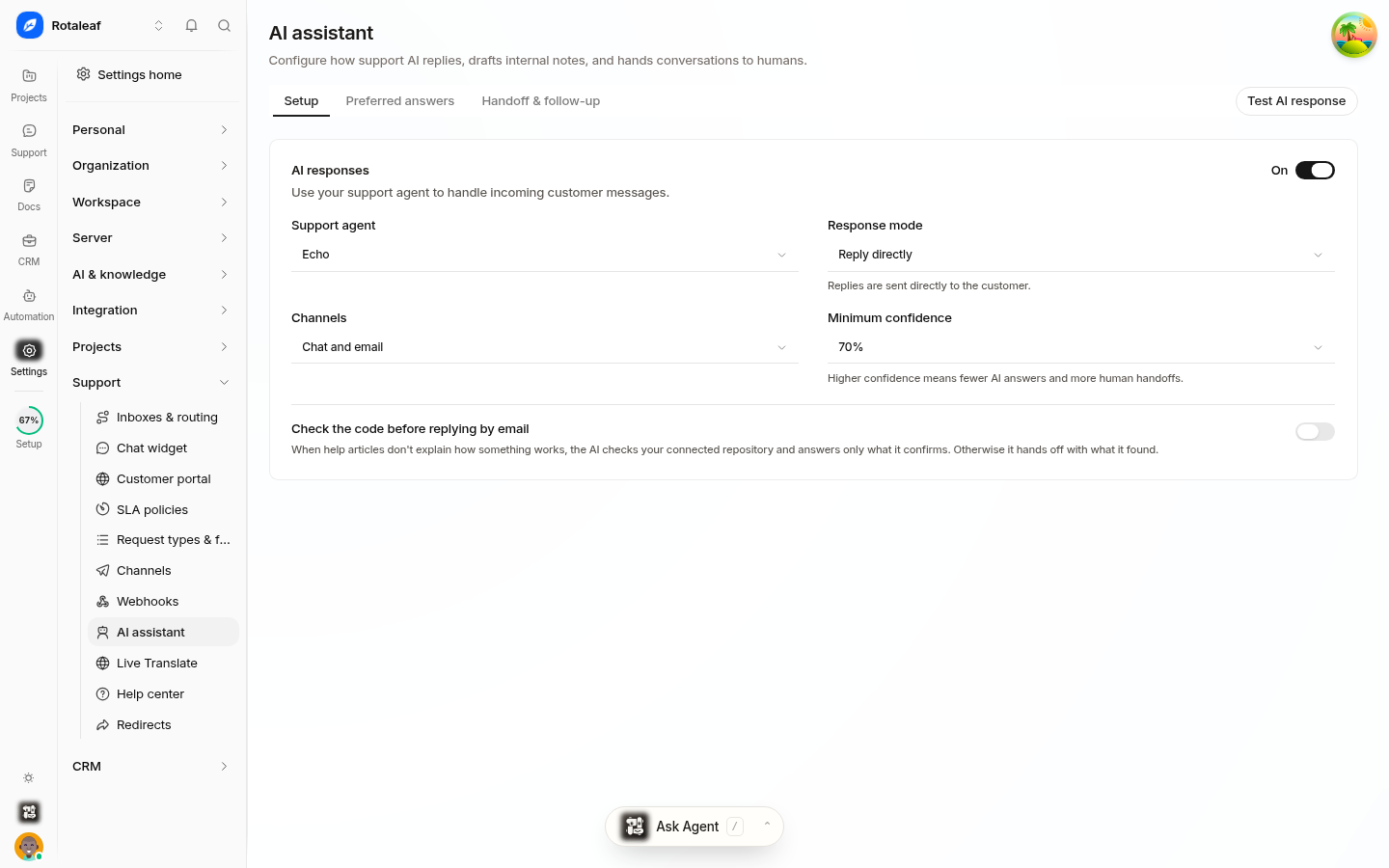
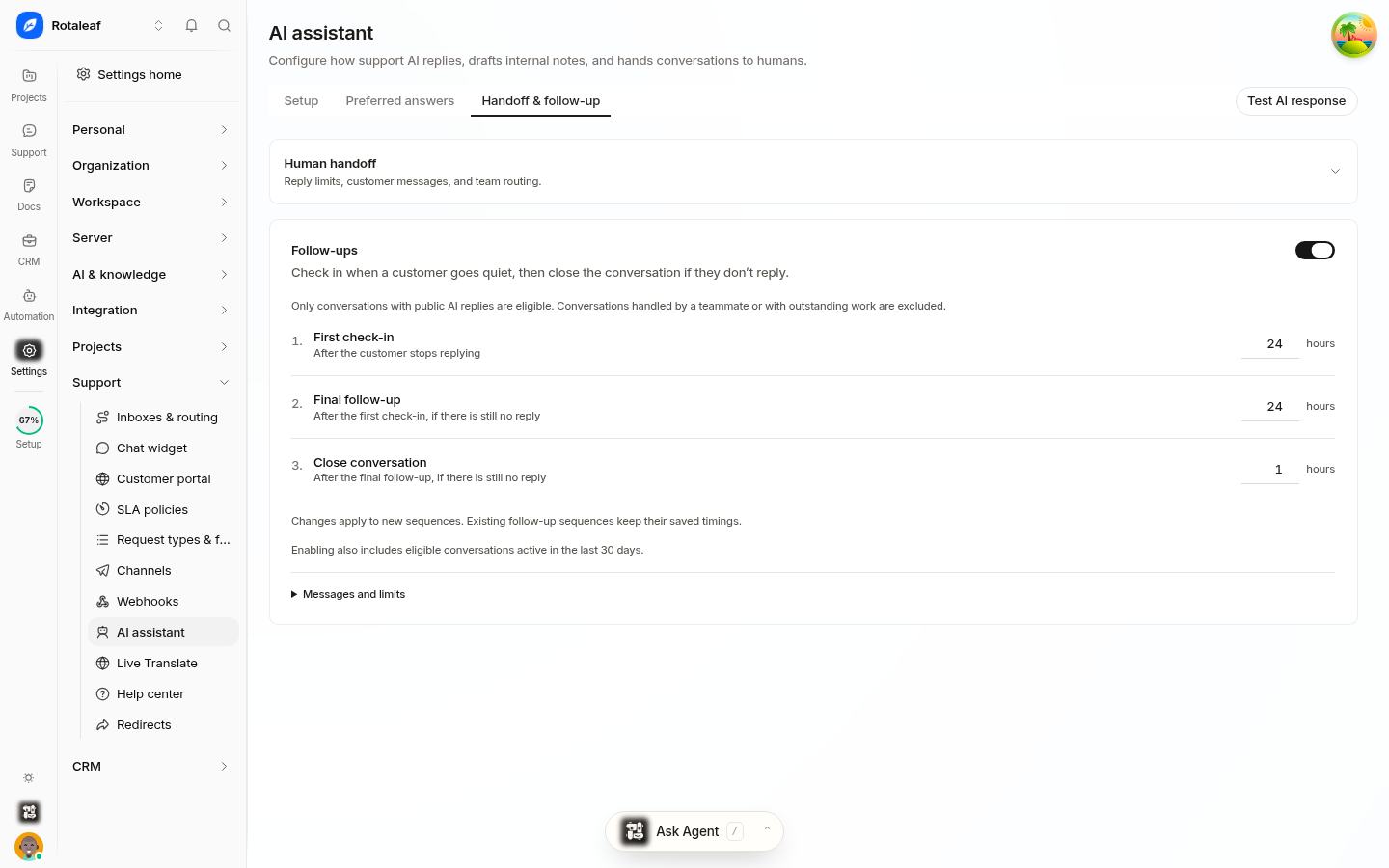
The controls that decide how the assistant behaves live in Settings → Support → AI assistant, across three tabs:
Setup — enable the assistant, choose which agent runs it, set the response mode (for example Reply directly), limit which channels it may reply on, and set a minimum confidence below which it should not answer. There is also a switch to check code before replying by email.
Preferred answers — steer what it should prefer when several answers are possible.
Handoff & follow-up — the human handoff settings, plus an automatic follow-up cadence: turn on Follow up on quiet conversations and set the first check-in, the final follow-up, and when to close the conversation, all in hours.
Because confidence gates answering, a conversation where the AI is unsure is a conversation heading for a handoff rather than a wrong answer. That is the setting to revisit first when the AI seems either too quiet or too confident.
Related pages
Was this article helpful?