Plans, billing & usage
Use Settings → Billing to review the workspace plan, included AI allowance, extra AI usage, and billing-management options. Plan availability and prices shown in the app are the current source of truth.
Who can view and manage billing
Workspace admins can view usage. Billing changes depend on the workspace's billing-manager configuration and the permissions of the current person.
If you can view billing but cannot change a plan, payment method, or extra AI usage, contact the workspace owner or a listed billing manager.
Plans
Helpin uses workspace plans rather than selling core modules separately. Current paid plan choices in the product are:
Plan | Monthly | Annual | Designed for |
|---|---|---|---|
Starter | $99 per workspace per month | $948 per workspace per year | Teams that want the full core platform and built-in AI. |
Growth | $299 per workspace per month | $2,868 per workspace per year | Teams that need custom agents, flows, scheduling, advanced help center features, branding controls, and priority support. |
Annual totals and effective monthly prices are shown in the billing page before checkout. Taxes, currency handling, and final charges are confirmed by the checkout provider.
Some existing workspaces can have a Founder plan. Its billing page shows the entitlements and management options available to that workspace. Founder is not presented as a general self-service plan choice.
What every paid plan includes
Every paid plan includes the core product areas:
Project Management.
Support.
Sales and CRM.
Docs and public help center capabilities.
Built-in AI usage according to the plan allowance.
Plan comparison in the billing page shows the exact features available on Starter and Growth. Product access can also depend on workspace configuration, module grants, integrations, and edition.
Growth features
The Growth plan adds capabilities such as:
Custom AI agents.
Automation flows.
Scheduled agents and cron triggers.
AI conversation routing.
Multilingual help center and AI translation.
Removal of Helpin branding.
Priority support.
Use the in-product comparison before changing plans because entitlements can evolve.
AI usage
The billing page shows the current billing period and AI usage as a percentage of the included allowance.
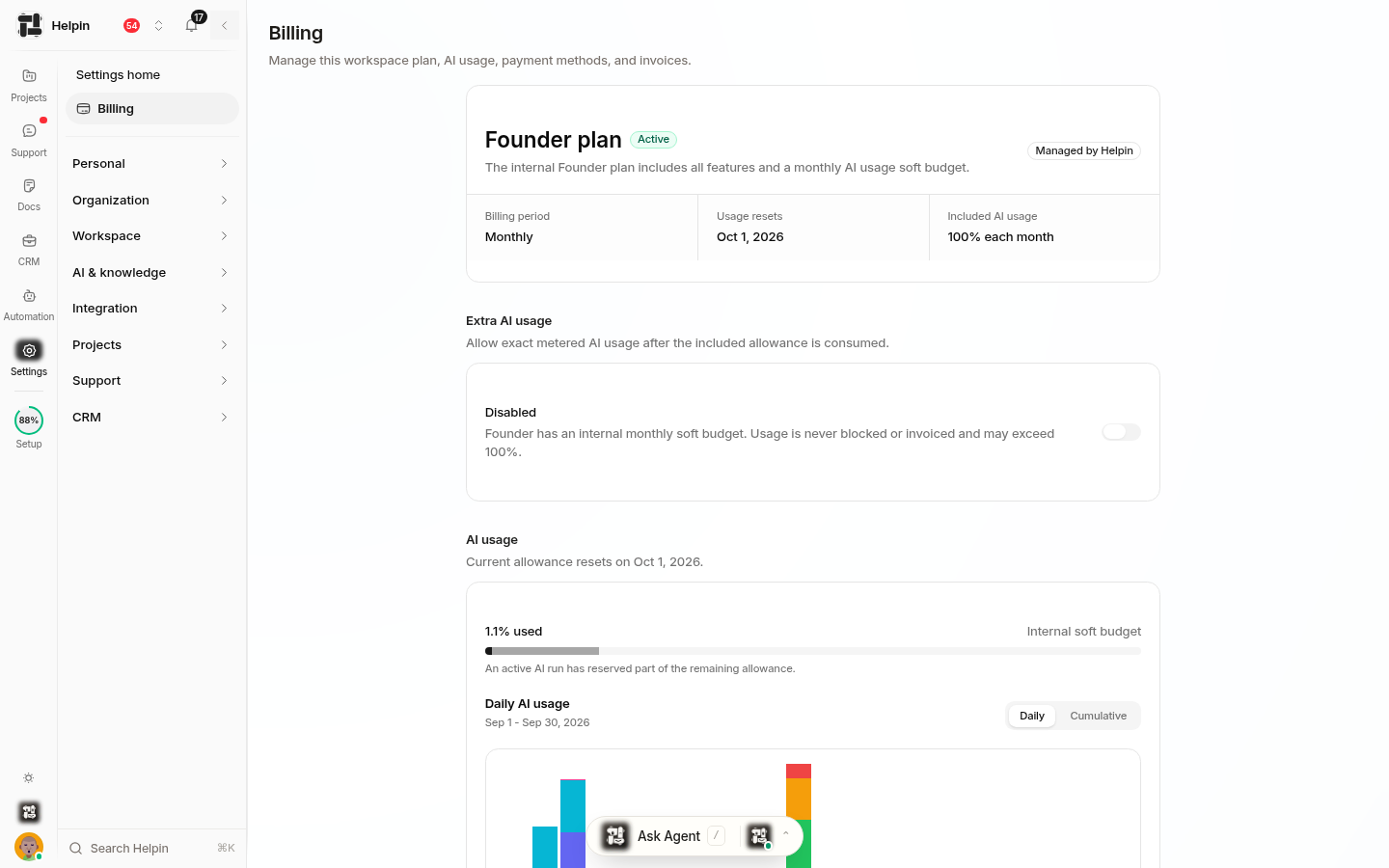
You can switch between:
Daily usage for day-by-day consumption.
Cumulative usage for total consumption across the period.
The feature table can show:
Feature name.
Model size or model sizes used.
Number of actions.
Share of the included allowance.
Usage can include Ask Chat, built-in agent runs, planning and coding agents, CRM AI features, translation, coverage-gap analysis, help article generation, help center answers, and support writing assistance.
An action count is not the same as cost. Different models and workloads consume different shares of the allowance.
Extra AI usage
Starter and Growth can allow exact metered AI usage after the included allowance is consumed. This is controlled by the Extra AI usage setting.
When extra usage is off, AI actions can be blocked after the included allowance is exhausted.
When extra usage is on, eligible usage beyond the allowance is metered and settled through billing.
Extra usage is not a prepaid credit pack.
Only an authorized billing manager should enable this setting. Review the current billing page for the exact terms before enabling it.
Change a plan
When changing between eligible plans or billing intervals, Helpin can show a preview before confirmation. The preview can include the effective date, credit, charge, and resulting plan.
Review the preview carefully. Upgrades and downgrades can have different timing and proration behavior.
Payment methods, invoices, and portal
When billing management is enabled, authorized people can open the billing portal to manage supported payment details and subscription actions. Invoice records can include the workspace, amount, currency, status, hosted invoice, and PDF.
If the portal is unavailable, confirm that you are a billing manager and that billing management is enabled for the workspace.
Cancellation and resumption
A cancellation can be scheduled for the end of the current billing period. The billing page shows the effective date when a cancellation is scheduled. If the subscription is still eligible, an authorized billing manager can resume it before the cancellation takes effect.
Review the confirmation text before canceling or resuming. Do not rely on a verbal request alone.
Billing checklist
Confirm the correct workspace.
Review the current plan and billing interval.
Check AI usage and the billing period.
Decide whether extra AI usage should be enabled.
Confirm billing managers.
Review plan-change previews before confirmation.
Download invoices required for accounting.
Record the effective date of any scheduled cancellation.
Troubleshooting
If usage does not load, refresh the page and confirm you are a workspace admin.
If billing controls are unavailable, contact the workspace owner or billing manager.
If an AI action reports an allowance or upgrade problem, review AI usage and plan entitlements instead of retrying repeatedly.
If checkout returns to Helpin but the plan does not update immediately, wait for confirmation and refresh before starting another checkout.
Was this article helpful?