Support AI settings
Support AI settings live in two places, and knowing which does what avoids confusion.
AI Assistant (Settings → AI Assistant)
The primary page for AI behavior:
Enable toggle for AI support.
Support agent selection — which configured agent persona handles conversations.
When a message comes in — Reply directly / Add internal note.
Confidence threshold.
Handoff after follow-up limit.
Escalation messages (Default / Team busy / After hours).
Guidance — per-agent instructions.
Configure routing & assignment — link to handoff destination settings.
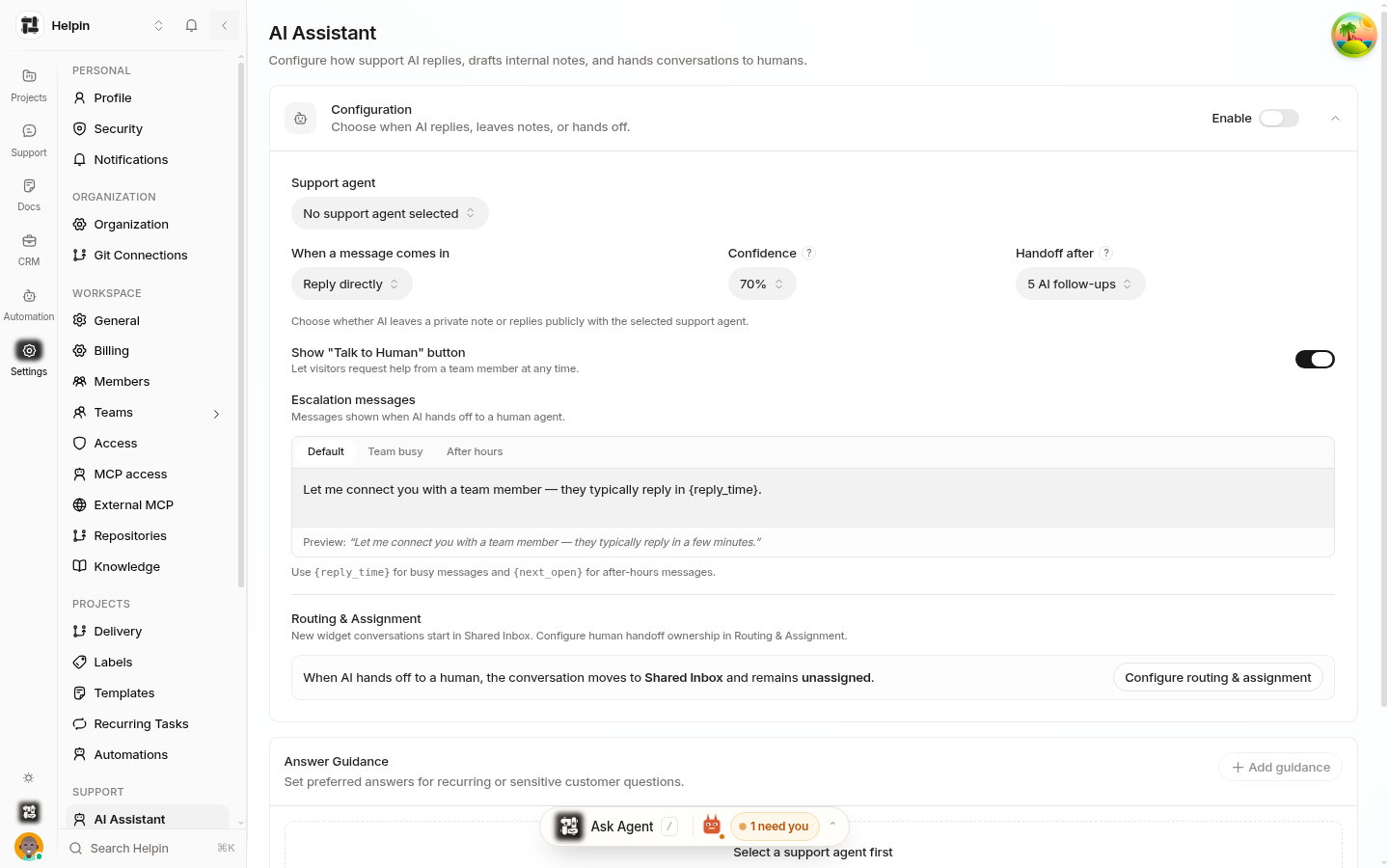
See Support AI assistant configuration for agents and guidance.
Chat Widget page (Settings → Chat Widget)
The Chat Widget page contains the widget-side AI surface — an AI Assistant card that reflects the current mode ("Reply directly", "Add internal note", or "Off") with a Configure link to the AI Assistant page. The full AI behavior configuration lives on the AI Assistant page; the widget page keeps a summary and shortcut so widget tuning doesn't hunt for it.
What is not on these pages
Where AI answers come from — knowledge sources are managed in Settings → Knowledge (see Linking knowledge sources).
Where handoffs land — destination and assignment live in Settings → Inboxes & Routing → Routing & Assignment.
Identity capture and appearance — Chat Widget page sections unrelated to AI.
Quick reference
Setting | Page | Controls |
|---|---|---|
Enable AI | AI Assistant | Master on/off for AI support. |
Response mode | AI Assistant | Reply directly vs. internal note. |
Confidence | AI Assistant | Threshold for answering vs. handoff. |
Handoff after | AI Assistant | Same-issue follow-up limit (1–10). |
Escalation messages | AI Assistant | Customer-facing handoff copy. |
Guidance | AI Assistant | Agent persona instructions. |
Talk to Human button | AI Assistant | Whether visitors can request a person. |
Knowledge sources | Knowledge | What the AI can cite and answer from. |
Handoff destination | Inboxes & Routing | Where escalated conversations go. |
Related pages
Was this article helpful?