Linking knowledge sources
The AI support agent (and the widget's Help tab) answers from knowledge sources you connect: your Docs spaces, your published help center, and public website content. This page explains how to connect them and how they flow into support.
See also: Support content sources covers choosing which content to connect and keeping sources healthy. This page focuses on where and how to connect them.
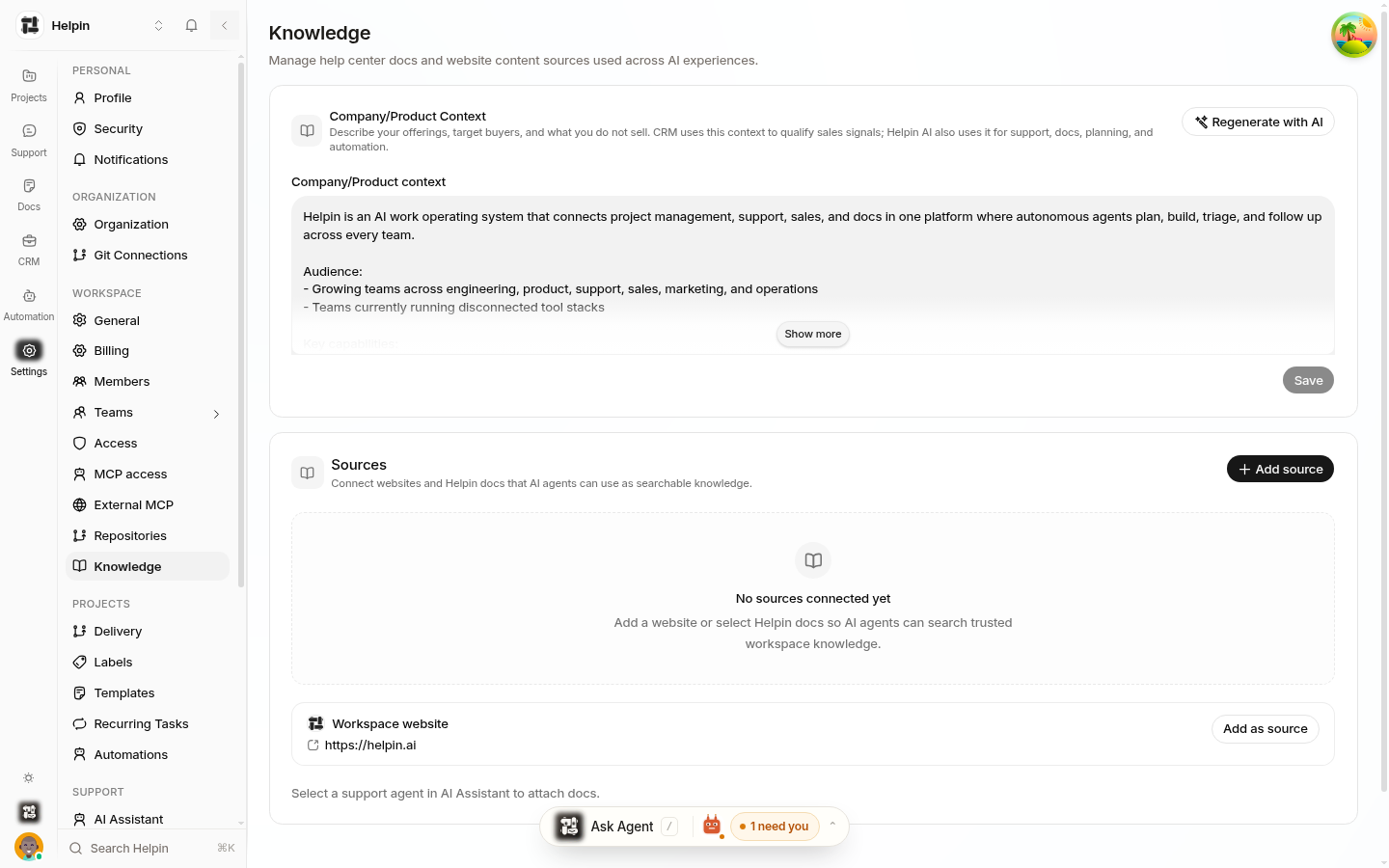
Where to connect sources
Settings → Knowledge manages content sources used across AI experiences. Three source types:
Docs spaces — Helpin documents. Spaces marked external-capable are intended for public/help-center content; internal spaces can also serve internal agent answers.
Help center — your published public help center site.
Website sources — public URLs Helpin crawls and indexes (docs sites, changelogs, marketing pages with factual content).
Company / product context
The Knowledge page includes a Company/Product context field — a description of what your product is and does. The AI uses this as background framing for answers and routing. A regenerated-with-AI option drafts a context description from your sources; edit it to match your positioning.
Keep it factual and current: it shapes how the AI frames answers about your product.
Which spaces feed the widget Help tab
Separately from AI answers, the Chat Widget → Help Center section selects which docs spaces appear in the widget's Help tab. Visitors browse those articles directly in the widget — choose the external-capable spaces you want public-facing.
How sources become answers
Content is indexed (published docs, help center articles, crawled pages).
A customer question retrieves the most relevant passages.
The AI composes a grounded answer with citations (see Knowledge-base answers).
Best practices
Publish before expecting answers — drafts don't feed retrieval; publish articles you want cited.
One canonical article per topic — duplicates and outdated drafts dilute retrieval.
Connect your real docs site — website sources keep answers current with content that lives outside Helpin.
Keep the context updated — when your product changes, update Company/Product context so the AI frames answers correctly.
Watch Coverage Gaps — recurring unanswered topics are your missing-content list (see Coverage analysis).
Related pages
Was this article helpful?