Widget customization & preview
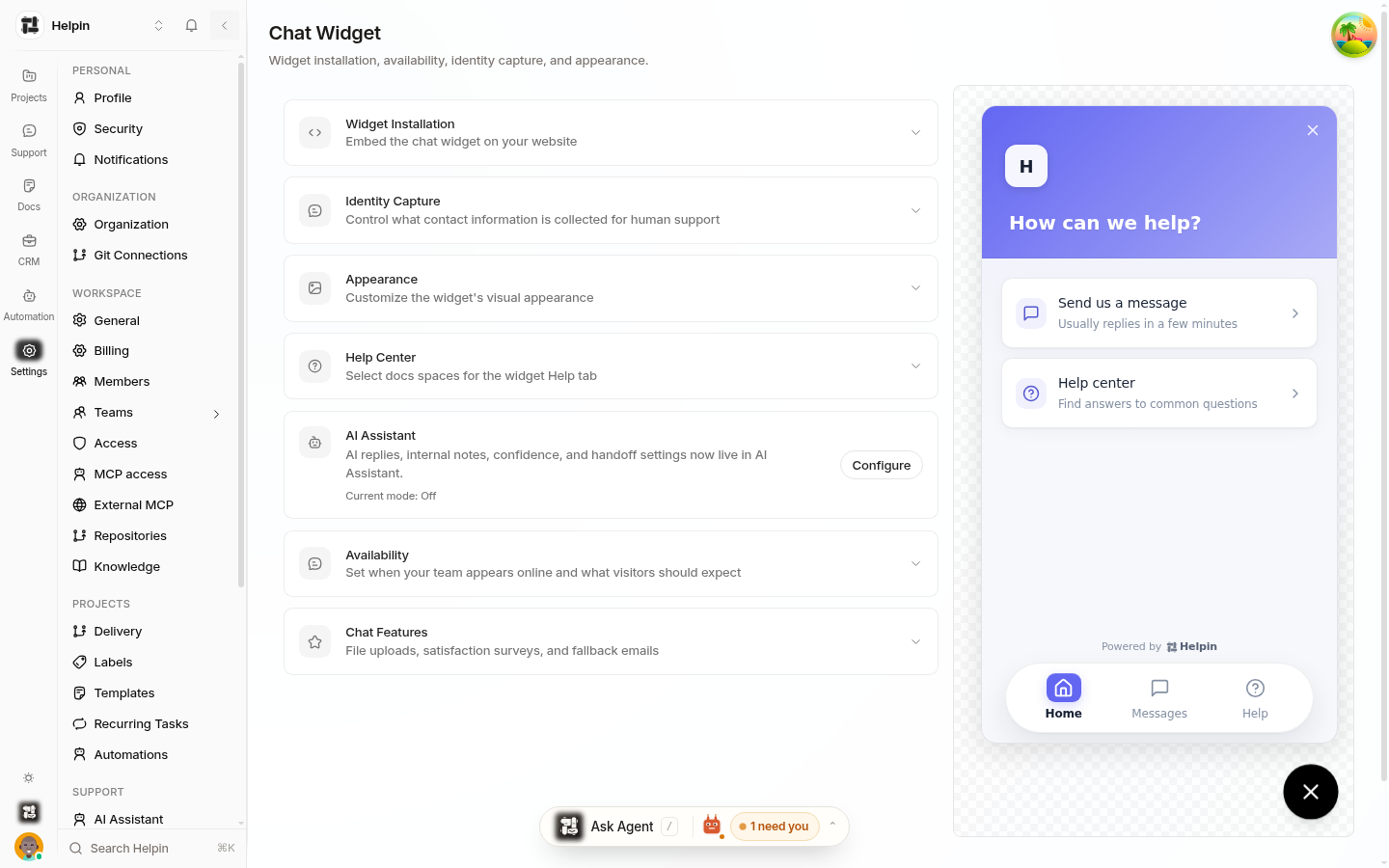
Everything visual about the widget — name, avatar, logo, colors, launcher, and the expectations customers see — is configured in Settings → Chat Widget with a live preview.
See also: Chat general settings for an overview of every Chat Widget settings section, including installation and identity capture.
Widget identity
Display name — shown in the widget header and conversations. Defaults to your workspace name.
Avatar — the image next to the name (PNG, JPG, SVG, up to 2 MB). Defaults to your workspace's initial.
Logo
The image at the top of the widget (recommended 512×512). Drag and drop or browse to upload; PNG, JPG, and SVG are supported.
Colors
Primary color — links and accents inside the widget.
Button color — the floating launcher button background.
Button icon color — the launcher button's icon.
Color scheme — System, Light, or Dark as the widget's default theme.
All colors accept hex values with a visual picker.
Launcher
Position — bottom-right or bottom-left.
Icon — choose the launcher glyph: chat bubble, question mark, or help.
Branding
The Show "Powered by Helpin" toggle controls the footer badge. Hiding the badge is plan-dependent and available on paid plans.
Help Center tab
Choose which docs spaces appear in the widget's Help tab. Only external-capable spaces are listed. Visitors browse these articles inside the widget, and the AI can cite them. Creating a new external space in Docs makes it available here.
Availability
Enable availability schedule — when on, human-team availability and reply expectations follow your business hours after AI handoff.
Timezone and a per-day schedule (start/end times per weekday, toggled per day).
Outside Hours Message — shown when the team is offline (for example, "We're currently offline. Leave a message and we'll get back to you!").
Reply expectations — during business hours, choose the promise customers see: Usually a few minutes, Usually a few hours, Within a day, or a custom number of minutes. A preview shows the exact copy.
Outage / maintenance banner — an optional short banner shown across the widget (for outages or backlog notices). Leave empty to hide.
Chat features
File uploads — let visitors attach images and documents (max 10 MB).
Email notifications (email fallback) — when a visitor disconnects before your team replies, Helpin emails them the reply. Configure From name, delay before sending (seconds after the latest team reply), and the send window (minutes before an unread reply becomes too old to email). See Email channel & email fallback for offline visitors.
Live preview
Every change is reflected in the widget preview beside the settings, so you can tune appearance and copy before saving.
Related pages
Was this article helpful?