Project delivery settings
Set team delivery defaults so new tasks start with the repository, base branch, and branch naming pattern your team normally uses.
Add or connect repositories first
Go to workspace Settings.
Open Project delivery.
If your workspace has no repositories available, select Add repositories to manage the repositories available to your workspace.
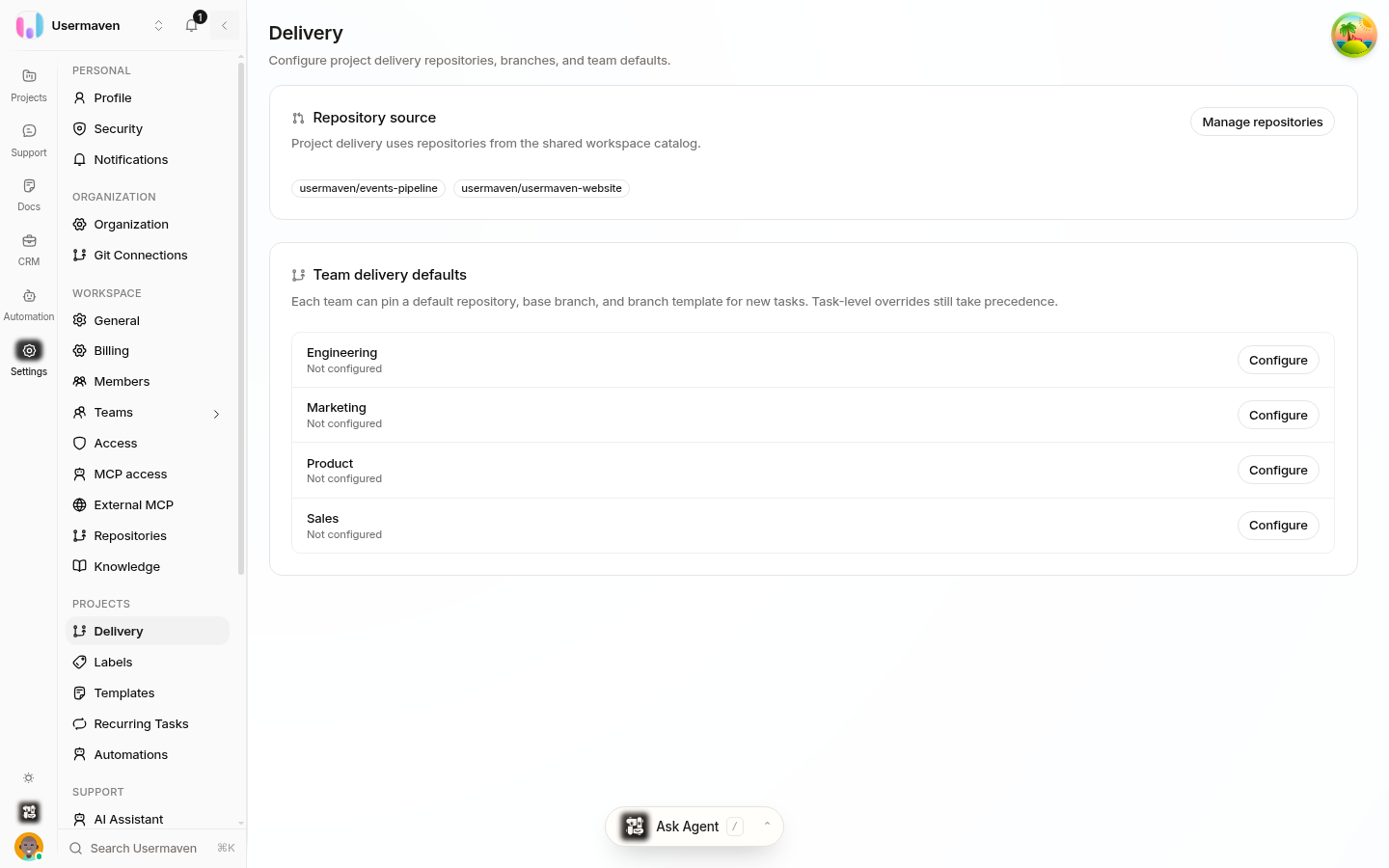
You need a repository before you can make it a team default. The project-delivery area also shows the repositories already selected for the workspace.
Configure a team's delivery defaults
In Team delivery defaults, choose the team you want to configure.
Set its delivery values:
Setting | What it controls |
|---|---|
Repository | The code repository tasks on this team inherit. |
Default base branch | Where task branches start and the branch that pull requests target. |
Branch naming pattern | How branches created for the team's tasks are named. |
Save the settings after choosing the values.
These defaults apply to new tasks for that team and give coding and review agents a consistent starting point, so fewer tasks need manual delivery setup.
Understand task overrides
A task can use different delivery details from its team. In the task's Delivery view, you can change the repository or base branch for that task.
Use an override for exceptional work, such as a task that belongs in another repository or must target a release branch. Keep the team defaults as the norm so most tasks need no extra configuration.
Review related team settings
The team configuration also includes delivery-related choices such as state syncing and the workflow states used for review, done, or closed work. Set these deliberately to match how your team works, then check a newly created task to confirm that it inherits the expected delivery context.
Related
Was this article helpful?