Canned responses
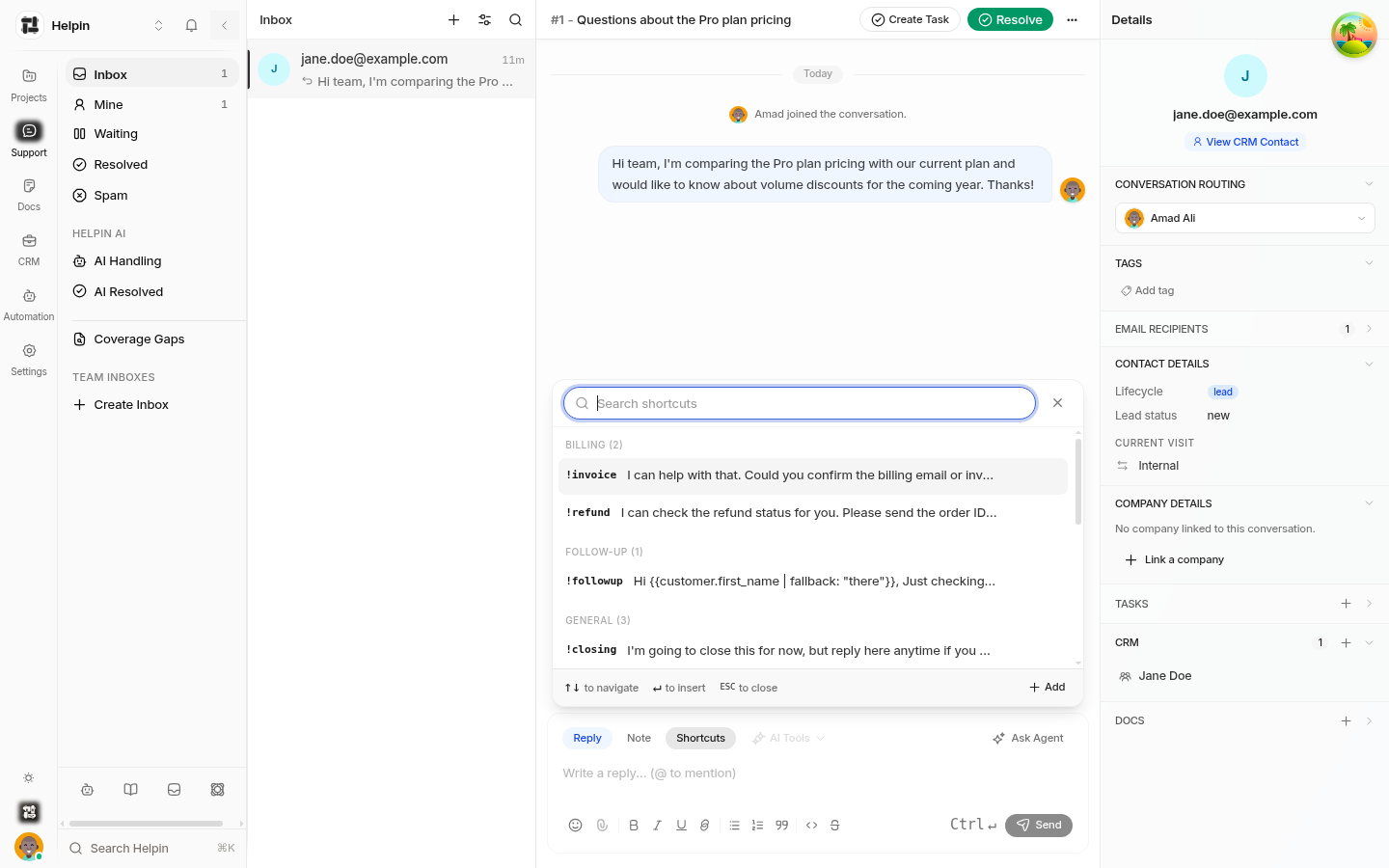
Canned responses (shortcuts) are saved replies your team inserts with a ! code while composing. They turn your most common answers into one keystroke.
How shortcuts work
Every canned response has a short code (for example
hello), typed in the composer as!hello.Typing
!opens the shortcuts panel; type ahead to filter, select to insert.Inserted content becomes part of your draft — editable, formattable, and included in AI tools and translation like any typed text.
Shortcut content supports variables:
{{customer.first_name | fallback: "there"}}inserts the customer's name with a fallback.
Managing canned responses
Manage the workspace library in Support settings, under Canned responses:
Create — short code, title, content, and an optional tag for grouping.
Edit — update content; changes apply to future insertions.
Delete — remove a shortcut; codes become available for reuse.
Tag — group shortcuts by category (for example "billing", "onboarding") for easier browsing.
Agents can also add a shortcut inline from the composer's shortcuts panel (Add), subject to the same permissions.
Content patterns that work
Openers: greeting + acknowledgment + expectation.
Info requests: exactly what you need, formatted as a checklist.
Follow-ups: a gentle nudge referencing the last message.
Closers: resolution summary + invitation to return.
Keep snippets short enough to read at a glance but specific enough to need no editing. Variables should always have fallbacks so inserts never break.
Conventions
Use lowercase, single-word codes for speed (
!refund,!steps).Avoid codes that collide with common words teammates might type accidentally.
Tag by workflow so new agents can find the right snippet fast.
Where they're available
Shortcuts are workspace-wide: every Support user can insert any canned response in any conversation, in Reply mode. Notes can include shortcuts too, but they're primarily for customer-facing replies.
Related pages
Was this article helpful?