Conversation routing settings
The Routing & Assignment tab (Settings → Inboxes & Routing) controls two distinct decisions: which inbox a conversation moves to, and which teammate owns a handoff.
See also: Conversation triage & routing for how routing works conceptually, and Inboxes / routing settings for an overview of all four Inboxes & Routing tabs.
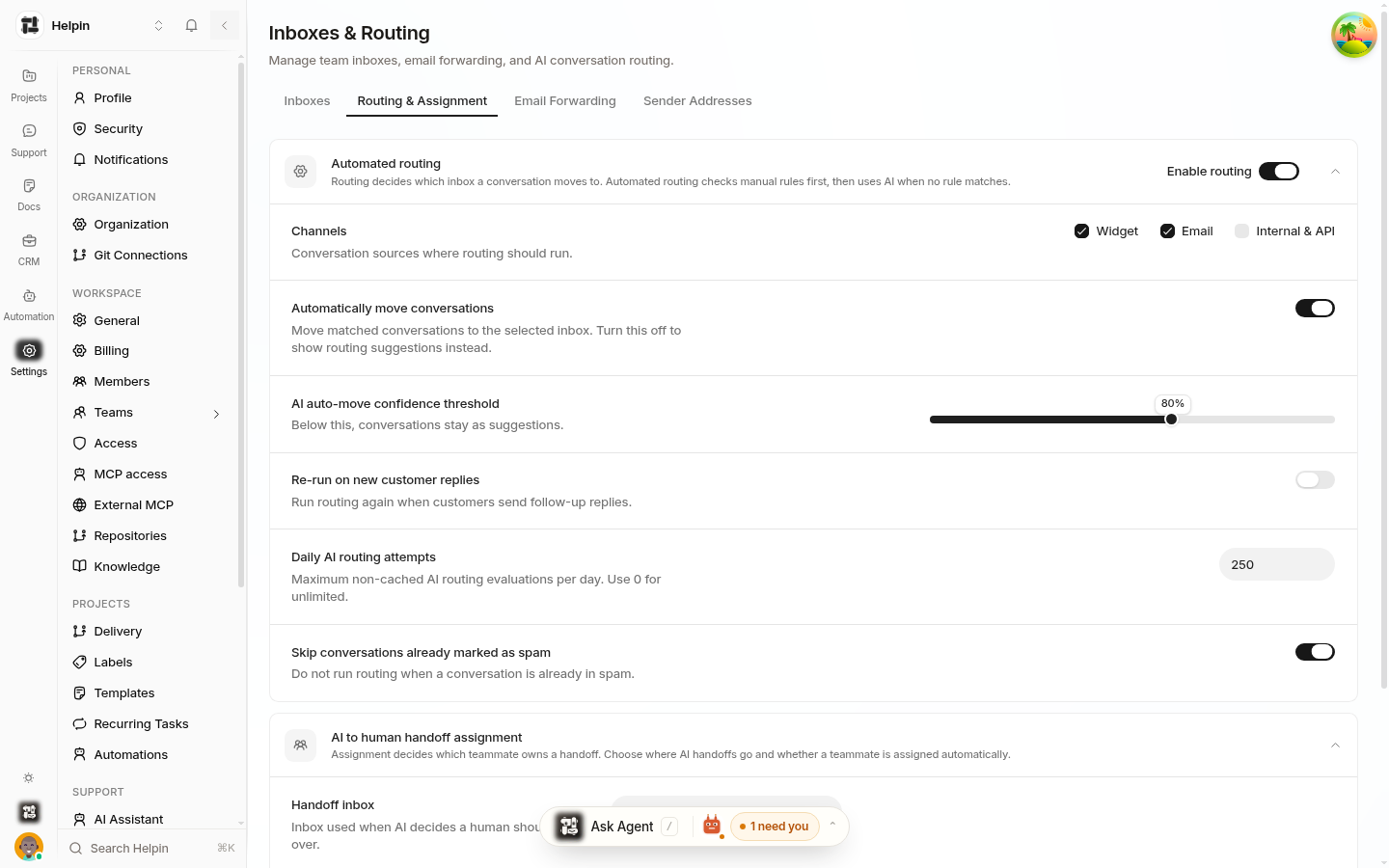
Automated routing
"Routing decides which inbox a conversation moves to. Automated routing checks manual rules first, then uses AI when no rule matches."
Enable routing — master switch (shown on).
Channels — Widget, Email, Internal & API checkboxes choose which sources are routed.
Confidence slider — AI routing precision (around 0.8 default): higher routes fewer, more-certain conversations.
Rerun on meaning change — re-evaluate when later messages change the topic.
Fallback behavior — where unmatched conversations stay (shared inbox) or move (default inbox).
Daily budget — cap on AI triage evaluations per day.
Skip spam and deduplicate first message hygiene options.
Manual triage rules (phrase/domain/sender conditions → target mailbox) run before AI and win on match. See Conversation triage & routing.
AI to human handoff assignment
"Assignment decides which teammate owns a handoff. Choose where AI handoffs go and whether a teammate is assigned automatically."
Destination inbox — the inbox that receives AI escalations (Shared Inbox or a team inbox).
Assignment behavior — Leave unassigned or assign automatically via the inbox's mode (manual queue or round-robin).
See Handoff to human agents and Team inbox assignment.
How the two interact
New message arrives.
If routing is enabled for its channel: manual rules try first; if none match, AI routing evaluates (if confidence ≥ threshold, move; else fallback).
If the AI support agent escalates the conversation, it lands in the handoff destination inbox with the chosen assignment behavior.
Inside the inbox, the assignment mode applies (round-robin for routed/handoff arrivals, manual pickup otherwise).
Practical defaults
Enable routing for Widget + Email; add Internal & API when your internal tooling creates support conversations.
Start the confidence slider moderate; watch misroutes for a week.
Keep fallback = shared inbox until your inboxes are stable.
Point handoffs at the inbox whose members monitor their queues; prefer auto-assignment for small teams with round-robin fairness.
Related pages
Was this article helpful?