Board (Kanban) view
Use the board when you want to see work moving through its workflow at a glance. Columns represent your team's workflow states, so the board works both as a status check and as a place to update work.
Work with columns
Each column represents a workflow state, arranged left to right in workflow order. A column header shows the state name, the number of tasks in it, and its point total. If your team uses work-in-progress limits, the header also indicates when the column is at or over its limit.
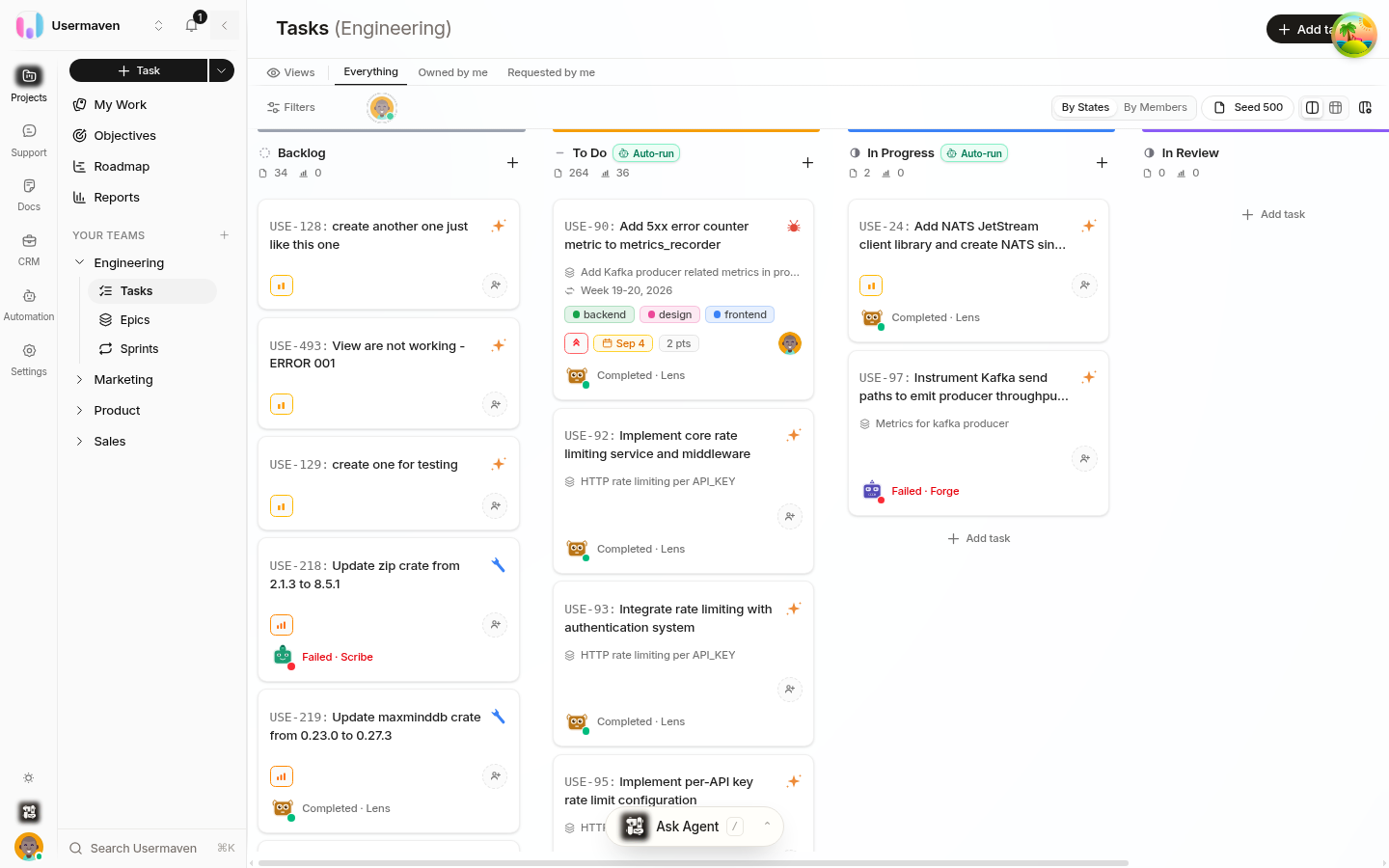
Cards show the details you need to scan work quickly: task ID and title, type, owners, estimate, labels, priority, due date, blocked status, and epic — when those details are set. Select a card to open the task's full details.
Move work forward
Drag a card to another column to update its workflow state — for example, move a task from an unstarted state into a started state when work begins.
Drag a card up or down within a column to change its priority order. Cards at the top of a column are the highest priority.
Every move is a visible update for the team, so the board reflects the current state without extra reporting.
Focus the board
Use Filters to focus the board on a team, epic, sprint, owner, label, workflow state, priority, or other work details. The board then shows only the tasks that match your current focus.
Choose the board for day-to-day flow
The board is especially useful when your team is:
Checking what is ready to start, in progress, or complete.
Running a daily check-in or planning conversation.
Watching for blocked work or columns that are at or over their limit.
Keep workflow states meaningful
A column's name and position come from your team's workflow. Before relying on the board for planning, make sure the states describe how your team actually works.
Related
Was this article helpful?