Import from Shortcut
The Shortcut importer copies your work from Shortcut into Helpin over the Shortcut API. It creates matching work items in your Helpin workspace; nothing in Shortcut is changed. You can bring over tasks, epics, objectives, and docs.
Where the importer lives
Open Settings and choose Import & Export in the Data group.
Under Project Management, select Shortcut.
Connect to Shortcut
Create an API token in your Shortcut account settings. Use a fresh token for the import rather than reusing an old one.
Paste the token into Shortcut API token and select Connect.
If the token is wrong or expired, connecting fails before anything is imported. Create a new token in Shortcut and try again.
Choose what to import
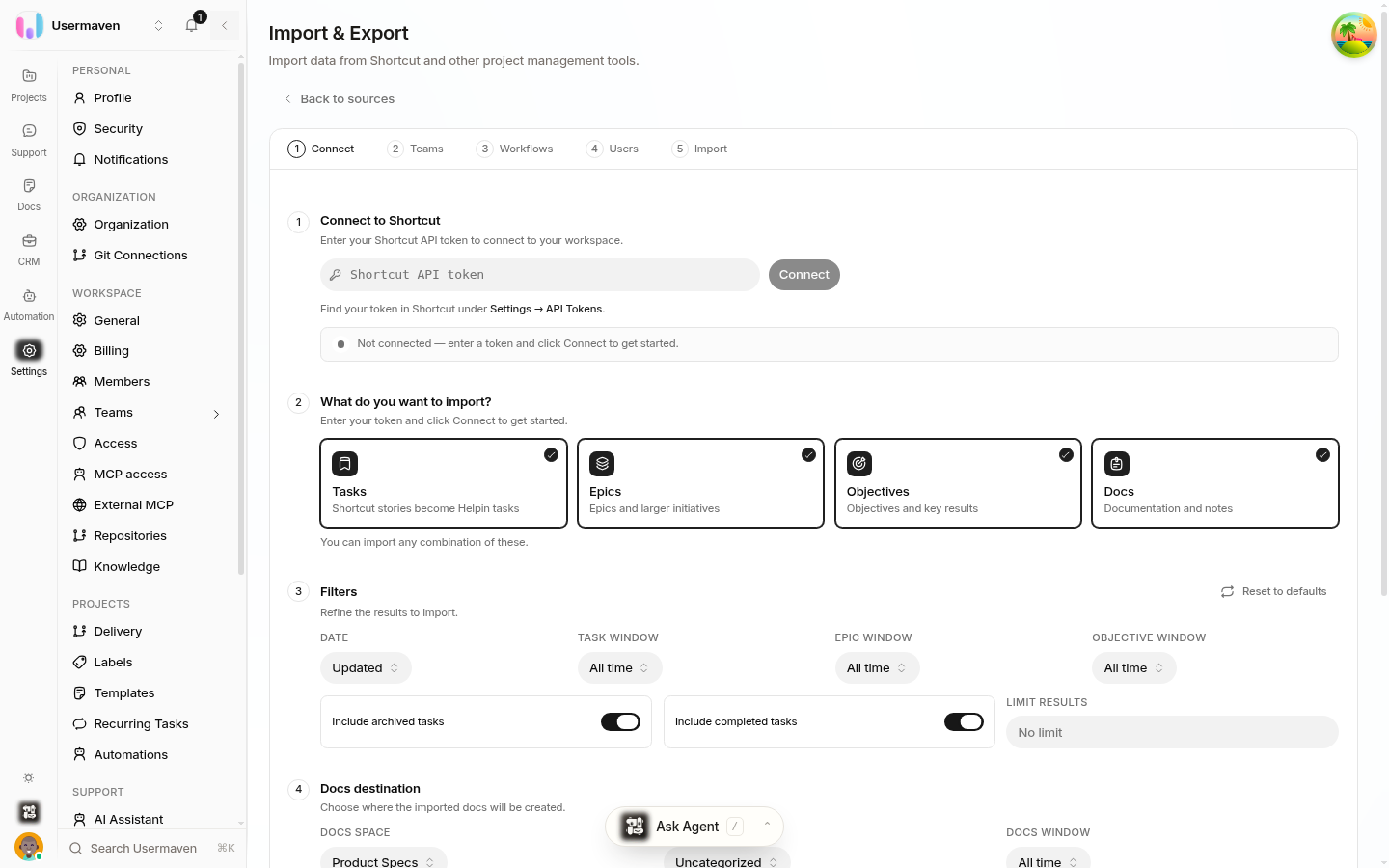
Shortcut content | What Helpin creates |
|---|---|
Stories | Tasks — Shortcut stories become Helpin tasks |
Epics | Epics and larger initiatives |
Objectives | Objectives and key results |
Docs | Documentation and notes |
Set filters
Filters control how much history comes over. The defaults include all time ranges, archived tasks, and completed tasks. Narrow the updated filter if you only want recent work, switch off Include archived tasks or Include completed tasks to import only active work, and set a limit if you want a small trial run before importing everything. Reset to defaults restores the standard filter set.
If you selected docs, use Docs destination to choose the Docs space where the imported documentation lands.
Run the import
Select Next: Teams to continue to the team step of the import wizard, and follow the remaining steps to start the import. Then check the result:
People: confirm people were matched correctly. Unmatched people stay unassigned, so plan to assign their items manually.
Workflow states: imported items land in the closest matching workflow state. Move anything that landed oddly.
Dependencies: check that blocking links between tasks still point the right way.
Tips
Import one project first and review the result before importing everything.
Members who left your Shortcut workspace cannot be matched to Helpin users.
You can revoke the API token in Shortcut once the import is done.
Related
Was this article helpful?